
Veo 3.1 Lite Text-to-video
High-efficiency Veo 3.1 Lite text-to-video: create video with synchronized audio from text prompts. Targets high-volume applications with strong price efficiency; 720p/1080p and flexible duration options. Does not support 4K outputs or Extension.
What it does
Veo 3.1 Lite Text-to-video, in practice.
Veo 3.1 Lite Preview (veo-3.1-lite-generate-preview) is a high-efficiency, developer-oriented video model from Google. It targets high-volume applications with strong price efficiency while still delivering high-fidelity generation, editing, and cinematic control derived from the Veo 3.1 family. Outputs are video with audio. Per the official model page, Veo 3.1 Lite Preview does not support 4K outputs or Extension; see the broader Video generation documentation for full platform capabilities.
- Subject: What you want in the video (object, person, animal, scenery)
- Context: The background / setting
- Action: What the subject is doing
- Style: Film style keywords (horror, noir, cartoon, etc.)
- Camera motion (optional): Aerial view, tracking shot, etc.
- Composition (optional): Wide shot, close-up, etc.
Run Veo 3.1 Lite Text-to-video
from $0.075/secParameters
What you can set.
| Parameter | What it does | Options |
|---|---|---|
prompt | Text description for the video. Supports audio cues (dialogue in quotes, SFX, ambience) per Veo prompt guidance. | |
aspect_ratio | The aspect ratio of the generated video. | 16:9 9:16 |
duration | Length of the generated video in seconds. Must be 8 when using 1080p resolution. | 4 6 8 |
resolution | Output resolution. 1080p only supports 8s duration. Veo 3.1 Lite does not support 4K. | 720p 1080p |
seed | Random seed. Does not guarantee determinism but may improve repeatability. -1 means a random seed will be used. | default -1 |
Sample prompt
The prompt behind the sample.
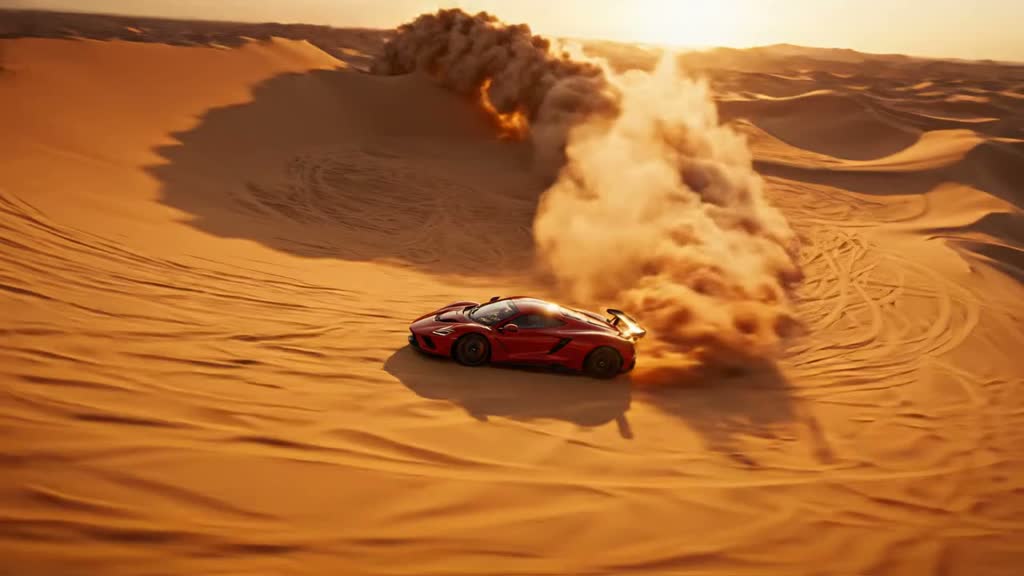
A supercar blasting through the desert at incredible speed, sandstorms spiraling in its wake, towering dunes stretching to the horizon, dramatic sunlight and long shadows, dynamic aerial camera tracking the car, cinematic blockbuster style, ultra-realistic, intense motion blur.
aspect_ratio: 16:9duration: 8resolution: 720pseed: -1FAQ
Short answers.
How much does Veo 3.1 Lite Text-to-video cost?
Pricing starts at $0.075 per second of video at the base resolution; higher resolutions and longer durations cost more. An 8-second clip at the base tier is about $0.60. Usage is billed per request from your balance — no subscription.
Does Veo 3.1 Lite Text-to-video run uncensored here?
No. Google applies its own content policy to this model regardless of where it is called from. For a route without an extra platform filter use Uncensored MiniMax H3; this page lists Veo 3.1 Lite Text-to-video for everything else it does well.
What does Veo 3.1 Lite Text-to-video take as input?
It is a text-to-video model. High-efficiency Veo 3.1 Lite text-to-video: create video with synchronized audio from text prompts. Targets high-volume applications with strong price efficiency; 720p/1080p and flexible duration options. Does not support 4K outputs or Extension.
How do I use it?
Enter an invite code to open Chat with the model loaded, or join the waitlist. We open seats in batches and track which models are requested most.
Related