
Compare · Image editing
Seedream v4.5 Edit vs Seedream v4.7 Edit
Seedream v4.5 Edit against v4.7 Edit — compare parameter options and per-image pricing.
Every value below is read from the model catalog at generation time — price and which parameters each model exposes. 2 of the 13 spec rows differ between these two. “Not exposed” means the model has no API parameter for it — it does not mean the capability is absent. A model without a transparent-background switch can still produce a clean white background from a prompt; it just cannot hand you an alpha channel.
Specs
Side by side
| Seedream v4.5 Edit | Seedream v4.7 Edit | |
|---|---|---|
| Vendor | ByteDance | ByteDance |
| List price | $0.054 per image | $0.045 per image |
| Category | Image editing | Image editing |
| Input images | multiple images per request | multiple images per request |
| Output size | 16 presets (2048*2048, 2304*1728, 1728*2304…) | 16 presets (2048*2048, 2304*1728, 1728*2304…) |
| Output format | not exposed | not exposed |
| Transparent background | not exposed | not exposed |
| Negative prompt | not exposed | not exposed |
| Seed / reproducibility | not exposed | not exposed |
| Prompt expansion | not exposed | exposed |
| Batch outputs | not exposed | not exposed |
| Guidance / steps | not exposed | not exposed |
| Content policy | ByteDance standard policy · commercial use | ByteDance standard policy · commercial use |
Seedream v4.7 Edit is the cheaper of the two at $0.045 versus $0.054 — a 1.2× difference. For a 100-image catalog batch that is $4.50 against $5.40.
Output
What each one actually produces
These are the real sample clips from the catalog, with the prompt that generated each. Watch both before you decide — a spec table will not tell you whether the motion reads the way you need it to.
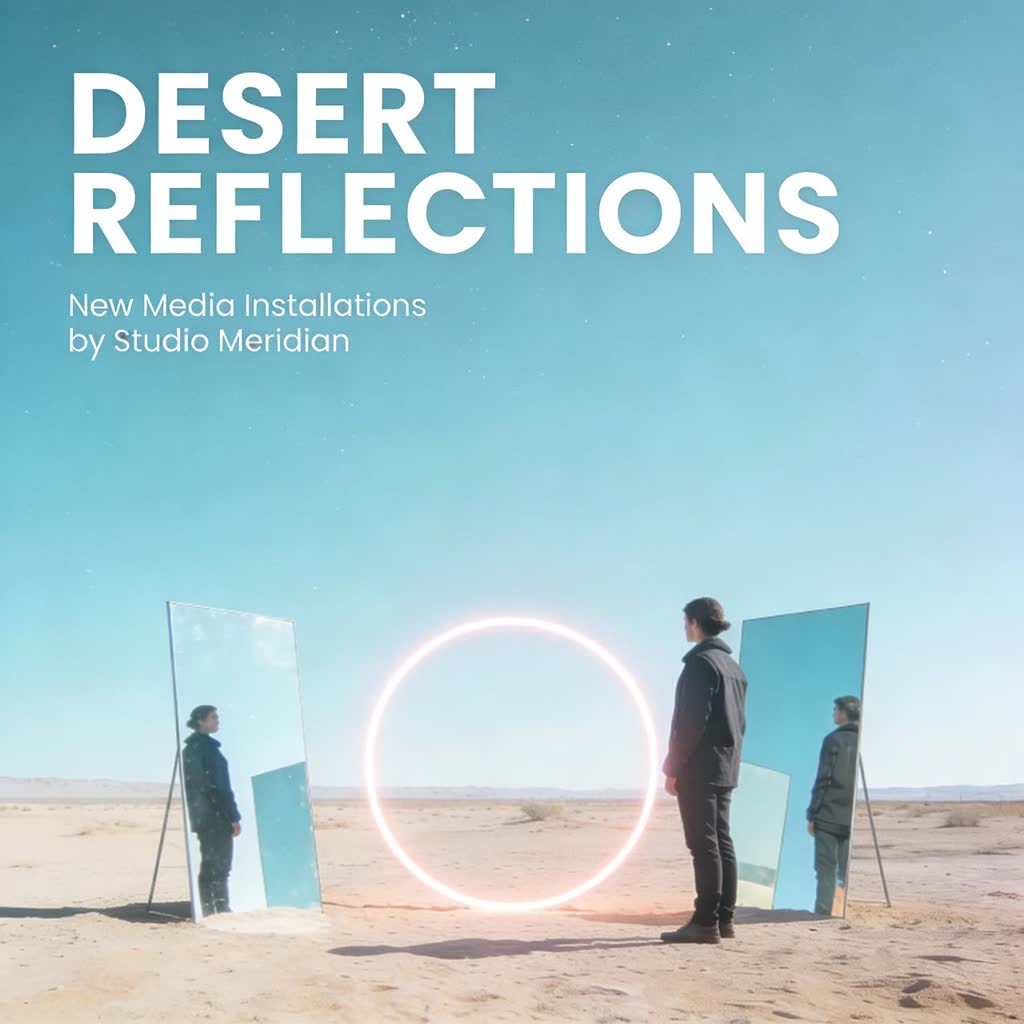
Sample · prompt: “dit this image into a clean, minimal exhibition poster without any meaningless filler text. Keep the desert landscape, the two standing figures, the mirrors, and the glowing neon circle in the center,…”

Sample · prompt: “Adjust the entire image to an American comic book style.”
FAQ
Short answers
Which is cheaper, Seedream v4.5 Edit or Seedream v4.7 Edit?
Seedream v4.7 Edit, at $0.045 per image. The other is listed at $0.054. These are list prices; billing on this site is not live yet.
What is Seedream v4.5 Edit good for in a product-photo workflow?
Seedream v4.5 Edit takes several reference images in one request (product plus a style or scene reference); output size: 16 presets (2048*2048, 2304*1728, 1728*2304…). Keep one edit per pass so the product, logo and label text stay locked.
What is Seedream v4.7 Edit good for in a product-photo workflow?
Seedream v4.7 Edit takes several reference images in one request (product plus a style or scene reference); output size: 16 presets (2048*2048, 2304*1728, 1728*2304…). Keep one edit per pass so the product, logo and label text stay locked.
Are my product photos used for training?
No. Merchant uploads are processed for your request only and are not used to train either model. Both models are offered under their vendor's standard commercial-use policy.
Which should I use for e-commerce image editing?
Whichever exposes the control you need — the table above is the honest answer. For bulk background cleanup, start on the cheaper model and only move up for the hero image. For packaging or label text, test both on one SKU and check the lettering at 100% zoom before you run the batch.