
Youchuan V8.1 Blend
Youchuan V8.1 blends two to five input images into four fused results, with an optional guiding prompt and native 2K HD.
What it does
Youchuan V8.1 Blend, in practice.
> About Youchuan (悠船): "Youchuan V8.1" is Midjourney's V8.1 model delivered through Youchuan (悠船), Midjourney's officially authorized platform in China — self-branded *"Midjourney 中国实验室" (Midjourney China Lab)* and operated by Xiaochuan Creative (Shanghai) Network Technology Co., Ltd. (小船创意). Youchuan is a legitimate, licensed distributor of Midjourney's models (not a third-party clone): it offers the same Midjourney technology, localized for the Chinese market with priority access to new model versions. Youchuan V8.1 Blend (youchuan/v8.1/blend) merges two to five input images into four new images that fuse the concepts, subjects, and styles of the originals. It is Midjourney's tool for comb
- Multi-image fusion: Combine 2–5 images so their concepts and styles merge into a new creative expression.
- Optional guiding prompt: Midjourney's native `/blend` command is image-only, but this endpoint runs through the image-prompt pathway, so you may add an optional text prompt to nudge the fusion toward a theme. Omit it for a pure visual blend.
- Native 2K HD: With `hd` enabled, results render directly at 2048px without a separate upscaling pass.
- ~4–5× faster generation than earlier Midjourney versions (Midjourney-stated).
- Aesthetic controls: `stylize`, `chaos`, and `weird` tune how strongly the house aesthetic, variety, and unconventionality are applied to the blend.
- Four results per request: Each task returns a 4-image grid of fused candidates.
Product photo workspace
This page is a model reference. The workspace supports white backgrounds, scene changes, packaging text edits and model try-on using Qwen Image Edit.
Parameters
What you can set.
| Parameter | What it does | Options |
|---|---|---|
images | Two to five input images to blend. Publicly reachable https image URLs (or uploads). Each task returns 4 fused images. | |
prompt | Optional text prompt guiding the blend. Maximum 1024 characters. | |
aspect_ratio | Aspect ratio of the generated image. | 1:1 9:16 16:9 4:3 3:4 2:3 3:2 9:21 21:9 |
hd | Enable native 2K HD generation. Costs 1.5x. | default |
stylize | Controls how strongly the model's default aesthetic is applied (0-1000). | default |
chaos | Higher values produce more unusual and varied results (0-100). | default |
weird | Makes results quirky and unconventional (0-3000). | default |
quality | Controls image detail. 4 = higher detail at the same price (slower). v8.1 supports 1 or 4 only. | 1 4 |
seed | Use the same seed and inputs to get reproducible results. -1 = random. | default -1 |
Sample prompt
The prompt behind the sample.
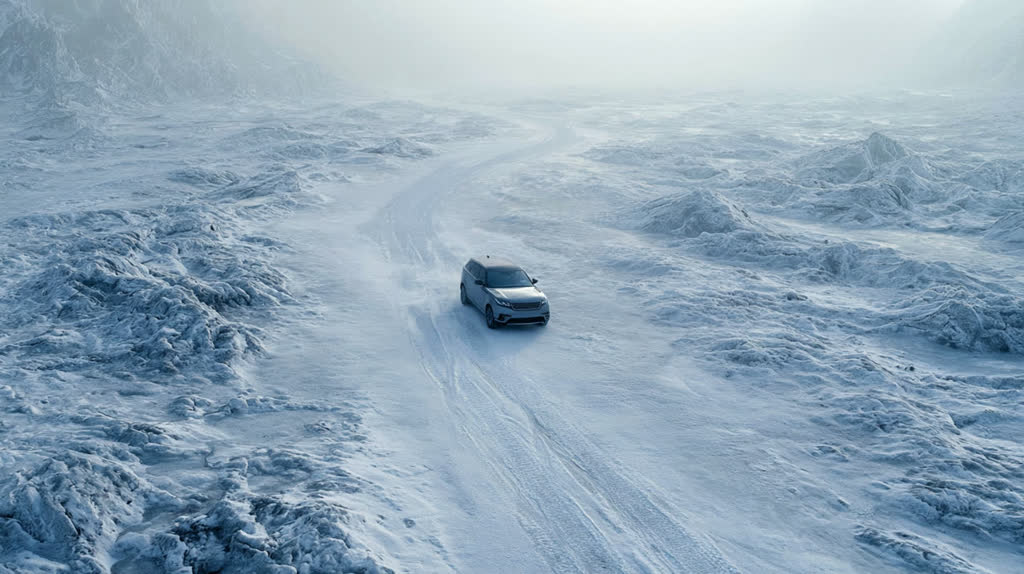
A car driving on the ice.
aspect_ratio: 16:9hd: stylize: chaos: weird: quality: 1seed: -1enable_base64_output: FAQ
Short answers.
How much does Youchuan V8.1 Blend cost?
List price starts at $0.13 per image at the base resolution; higher resolutions and longer durations cost more. Per-use pricing, no subscription. Model prices are reference prices. The prompt workspace is free during the period shown on the homepage; no automatic charges.
Is Youchuan V8.1 Blend good for e-commerce product photos?
It is an image-editing model, which is the core job here: background cleanup, relighting, inpainting, label or packaging text fixes and upscaling. Keep one instruction per pass so the product, logo and SKU details stay locked. Midjourney's standard content policy applies.
What does Youchuan V8.1 Blend take as input?
It is a image editing model. Youchuan V8.1 blends two to five input images into four fused results, with an optional guiding prompt and native 2K HD.
How do I use Youchuan V8.1 Blend?
Upload the image and describe the edit narrowly. Inpainting, restyle, upscale and background work all do better with one instruction per pass than with a paragraph of changes. Register or sign in to edit product photos with Qwen Image Edit. Other models on this page are catalog references.
Related