minimaxiStudio 注册免费使用
工作台商业合规 · 100% 锁定商品主体限时免费

Keep the Set, Swap One Element

Same studio lighting. New SKU colorway or prop.

When a product launches in 6 colorways or 4 regional languages, don't reshoot from scratch. Lock the studio lighting, shadow, and camera framing, and swap only the colorway, label copy, or seasonal prop.

全部电商工具

单价 采用下方高性价比模型,每image成本低至 $0.045 起。

核心 AI 模型
Qwen Image 3.0 Pro Edit, FLUX.2 Pro Edit
上游 API 参考单价
采用下方高性价比模型,每image成本低至 $0.045 起。
标准输出规格
Matched variant image or video clip with identical framing
商品锁定与隐私
100% 锁定商品外观与 Logo · 原图不用于训练

工作台

在工作台规划白底主图、换场景、包装改字与服装上模特的结构化修图方案并储存。

不知道怎么写修图指令?点此一键套用「纯白底 / 换背景 / 改包装字 / 模特试穿」模板

一键套用修图模板

选你要做的效果,3 秒生成精准修图指令

点选下方最常用的电商修图任务(纯白底主图、换背景打光、包装改字、平铺衣服上模特),自动锁定商品外形与 Logo 不变形。

1. 选择修图任务
2. 拍摄视角
3. 背景与光线
生成的修图指令(可直接复制使用)
标准商品主图正面视角,边缘锐利。磨砂玻璃精华液瓶配金色滴管盖,保持原有品牌字体与 Logo 100% 清晰不变,纯白 #FFFFFF 背景 + 自然接触阴影。

操作流程

三步出图。

Upload the approved hero shot

Your winning studio photo or short product clip.

Select the single variable to swap

Colorway, label language, background surface, or tabletop prop.

Render the variant batch

Keep shadows and reflections 100% consistent across all SKU variants.
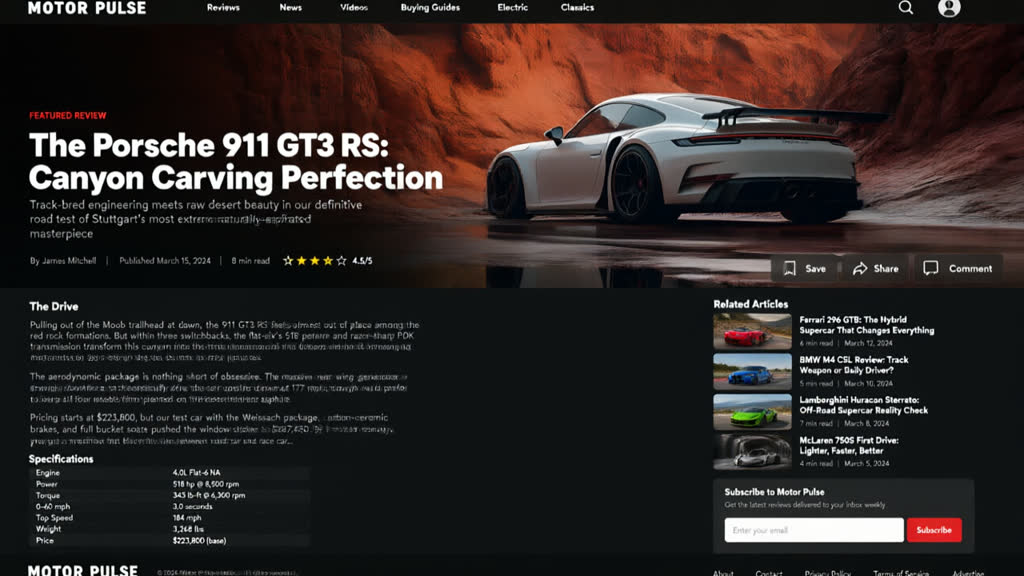
Qwen Image 3.0 Pro Edit sample output
来自 Qwen Image 3.0 Pro Edit 的真实生成样例(公开透明单价)。 · prompt: “Design a foreign website about cars based on this image.”

你只需上传

输入素材。

  • Approved base product image or clip
  • Swap target (Background Scene, Colorway Variant, Label Copy, Model Outfit, Lighting Time, Props)
  • Optional reference for the replacement item

你直接获得

交付成片。

  • Matched variant image or video clip with identical framing

底层引擎

驱动此工具的底层 AI 模型。

公开透明的单张/每秒成本。结合 Qwen-Image-Edit 的中英文包装改字能力与 Flux Kontext / Pro 的棚拍光影合成能力。

常见问题

卖家最关心的问题。

Can I generate 5 color variants of the same handbag without changing the background?

Yes — choose SKU Colorway Variant and specify the exact hex or Pantone shade while locking background and hardware.

Does this work on both photos and video clips?

Yes. Still variants run on Qwen Image 3.0 Pro Edit and Flux 2 Pro Edit; video swaps run on Wan 2.7 and Gemini Omni Video Edit.

如何开始使用?需要付费吗?

使用信箱和密码注册后即可使用。免费截止日期会显示在首页及工作台,无需信用卡,不自动扣款。

正在找 MiniMax H3 成人/短剧视觉提示词、姿态控制或无审查模型教程? 查看完整的《MiniMax H3 成人提示词与无审查模型教程(2026)》(含 30 秒分镜公式与 ComfyUI/GGUF 本地工作流),或直接前往黄果短剧观看 AI 短剧成片。
打开 H3 成人/短剧提示词教程 → 观看黄果 AI 短剧全集 → ReelShorts 海外短剧 →

关联工具

卖家常搭配使用的工具。

在工作台使用「商品多色号/场景道具无痕替换」。

注册或登入后即可免费规划并储存修图提示词方案(无自动扣款;分镜与影片渲染可前往 huangguo.design/studio)。

注册免费使用 浏览模型价目