
Qwen-Image Edit
Supports multiple image inputs and outputs, allowing for precise modification of text within images, addition, deletion, or movement of objects, alteration of subject actions, transfer of image styles, and enhancement of image details.
What it does
Qwen-Image Edit, in practice.
An advanced image editing model from Alibaba Cloud, offering precise control and high-quality results. Qwen-Image Edit is designed to handle common editing tasks, allowing users to modify images with natural language prompts. It supports single-image editing and multi-image blending.
- Purpose: Perform image edits using text instructions.
- Core Capability: Supports single-image editing and multi-image blending.
- Foundation: Powered by Alibaba's advanced multi-modal generative AI technology.
- Typical Output: High-quality edited image (1 per request) that blends changes with the original content.
- Use Cases: Social media content adjustment, basic photo retouching, and creative experimentation.
- Multi-image Blending:
Product photo workspace
This page is a model reference. The workspace supports white backgrounds, scene changes, packaging text edits and model try-on using Qwen Image Edit.
Parameters
What you can set.
| Parameter | What it does | Options |
|---|---|---|
images | List of URLs of input images (1-3 images). Image Format: JPG, JPEG, PNG, BMP, TIFF, WEBP, GIF (first frame). Resolution: Recommended 384px - 3072px. Size Limit: Max 10MB per image. | |
prompt | Text instruction for editing. Max 800 characters. | |
negative_prompt | Description of content to exclude (max 500 characters). | |
num_images | Number of output images. Fixed at 1. | default 1 |
seed | The random seed to use for the generation. -1 means a random seed will be used. | default -1 |
Sample prompt
The prompt behind the sample.
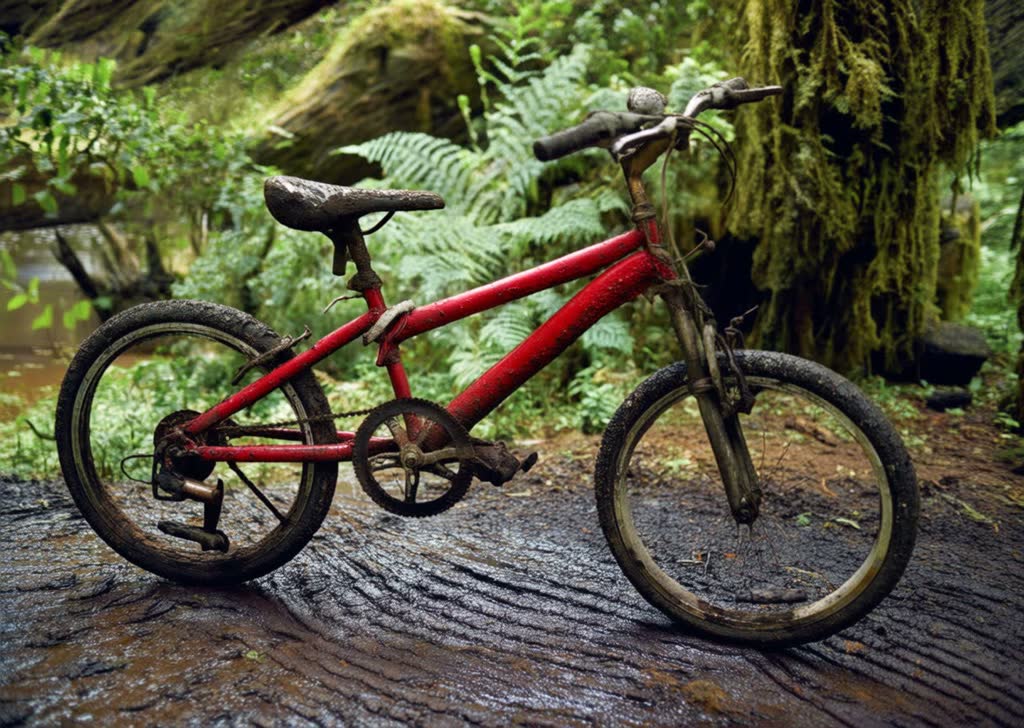
Generate an image that matches the depth map, following this description: a dilapidated red bicycle parked on a muddy path, with a dense primeval forest in the background.
num_images: 1seed: -1FAQ
Short answers.
How much does Qwen-Image Edit cost?
List price starts at $0.048 per image at the base resolution; higher resolutions and longer durations cost more. Per-use pricing, no subscription. Model prices are reference prices. The prompt workspace is free during the period shown on the homepage; no automatic charges.
Is Qwen-Image Edit good for e-commerce product photos?
It is an image-editing model, which is the core job here: background cleanup, relighting, inpainting, label or packaging text fixes and upscaling. Keep one instruction per pass so the product, logo and SKU details stay locked. Qwen's standard content policy applies.
What does Qwen-Image Edit take as input?
It is a image editing model. Supports multiple image inputs and outputs, allowing for precise modification of text within images, addition, deletion, or movement of objects, alteration of subject actions, transfer of image styles, and enhancement of image details.
How do I use Qwen-Image Edit?
Upload the image and describe the edit narrowly. Inpainting, restyle, upscale and background work all do better with one instruction per pass than with a paragraph of changes. Register or sign in to edit product photos with Qwen Image Edit. Other models on this page are catalog references.
Compare
Head-to-head, with real specs and samples.
Related