
FLUX.2 Flex Edit
FLUX.2 Flex Edit is a professional image editing model specialized for typography, fine detail preservation, and production workflows. It provides adjustable inference steps and guidance scale, with multi-reference support for up to 8 images, delivering precise control over photorealistic editing results up to 4MP.
What it does
FLUX.2 Flex Edit, in practice.
Developer: Black Forest Labs Model ID: black-forest-labs/flux-2-flex/edit Release Date: February 23, 2026
- Superior typography — Reliable text rendering for complex typography, infographics, memes, UI mockups, and marketing materials with legible fine text.
- Adjustable inference parameters — Fine-grained control through configurable steps (1–50) and guidance scale (1.5–10) to balance quality, speed, and prompt adherence.
- Multi-reference support — Up to 8 reference images for consistent character, product, or style generation across compositions.
- High-resolution output up to 4MP — Flexible aspect ratios with an improved VAE achieving 63.5% better learnability (gFID) and 84.1% better reconstruction quality (LPIPS) versus prior architectures.
- HEX color accuracy — Precise color matching using hex color codes for brand-accurate asset creation.
- Prompt expansion — Optional automatic prompt enrichment to improve output quality from short or simple prompts.
Run FLUX.2 Flex Edit
from $0.075/imageParameters
What you can set.
| Parameter | What it does | Options |
|---|---|---|
prompt | Text prompt for image editing. | |
images | List of input images for editing. Each image can be a URL or a base64-encoded image string. Maximum 8 images supported. | |
enable_prompt_expansion | Whether to use prompt upsampling to enhance the prompt before generation. | default True |
size | Image dimensions in width*height format (e.g., 1024*1024, 1280*720), If not specified, the model will determine the optimal dimension. | default 1024*1024 |
guidance_scale | Guidance scale for image generation. High guidance scales improve prompt adherence at the cost of reduced realism. | default 5 |
num_inference_steps | Number of steps for image generation. Higher steps lead to more detailed and realistic images. | default 50 |
output_format | The format of the output image. | jpeg png |
safety_tolerance | Tolerance level for input and output moderation. Between 0 and 5, 0 being most strict, 5 being least strict. | default 2 |
seed | Random seed for reproducibility. Use -1 for a random seed. | default -1 |
Sample prompt
The prompt behind the sample.
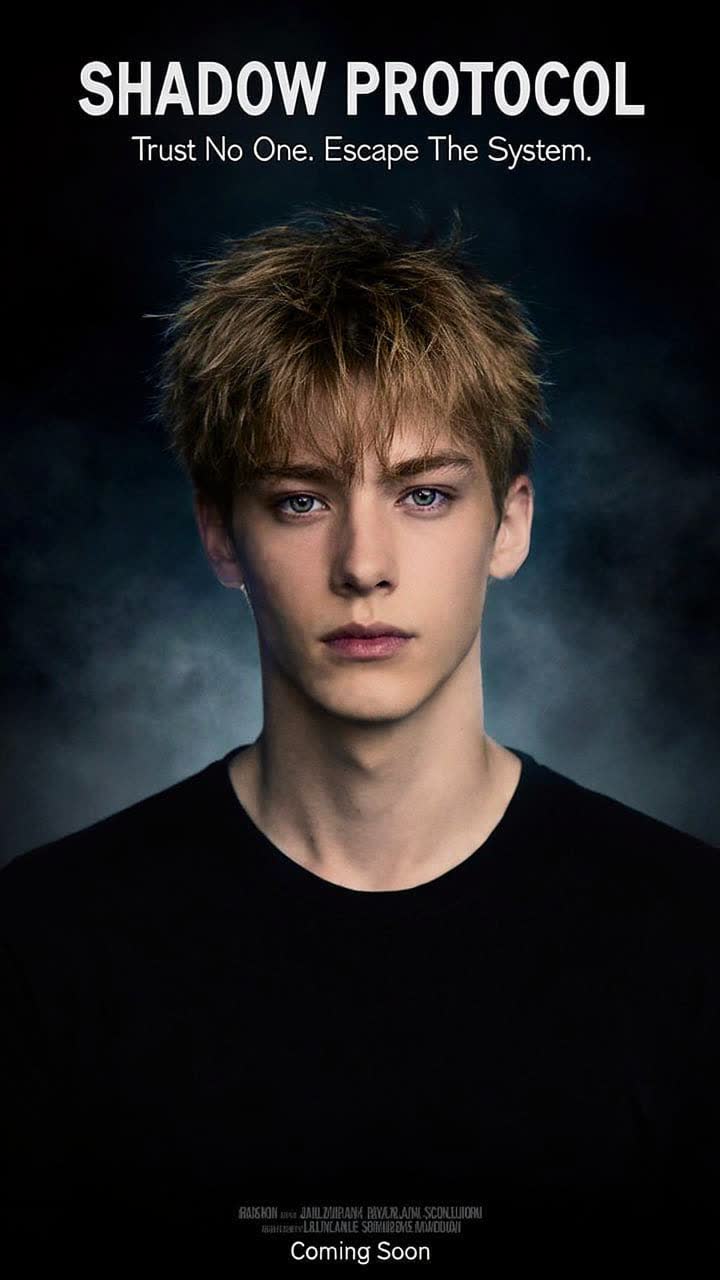
Design a movie promotional poster for a character.
enable_prompt_expansion: Truesize: 720*1280guidance_scale: 5num_inference_steps: 50output_format: jpegsafety_tolerance: 2seed: -1enable_base64_output: FAQ
Short answers.
How much does FLUX.2 Flex Edit cost?
Pricing starts at $0.075 per image at the base resolution; higher resolutions and longer durations cost more. Usage is billed per request from your balance — no subscription.
Does FLUX.2 Flex Edit run uncensored here?
No. Black Forest Labs applies its own content policy to this model regardless of where it is called from. For a route without an extra platform filter use Uncensored MiniMax H3; this page lists FLUX.2 Flex Edit for everything else it does well.
What does FLUX.2 Flex Edit take as input?
It is a image editing model. FLUX.2 Flex Edit is a professional image editing model specialized for typography, fine detail preservation, and production workflows. It provides adjustable inference steps and guidance scale, with multi-reference support for up to 8 images, delivering precis
How do I use it?
Enter an invite code to open Chat with the model loaded, or join the waitlist. We open seats in batches and track which models are requested most.
Related