
Ideogram v4 Turbo Text-to-Image
Generate high-quality images, posters, and logos with Ideogram latest V4.0 — producing crisp visuals with accurate text rendering, fine detail, and full creative control for polished, ready-to-use designs.
What it does
Ideogram v4 Turbo Text-to-Image, in practice.
Product photo workspace
This page is a model reference. The workspace supports white backgrounds, scene changes, packaging text edits and model try-on using Qwen Image Edit.
Parameters
What you can set.
| Parameter | What it does | Options |
|---|---|---|
prompt | Text description of the image to generate. Maximum 2,000 characters. | |
image_size | Output image size preset. | square_hd square portrait_3_4 portrait_9_16 landscape_4_3 landscape_16_9 |
output_format | File format of the generated image. | jpeg png |
seed | Random seed for reproducibility. Use the same seed and prompt to reproduce results. |
Sample prompt
The prompt behind the sample.
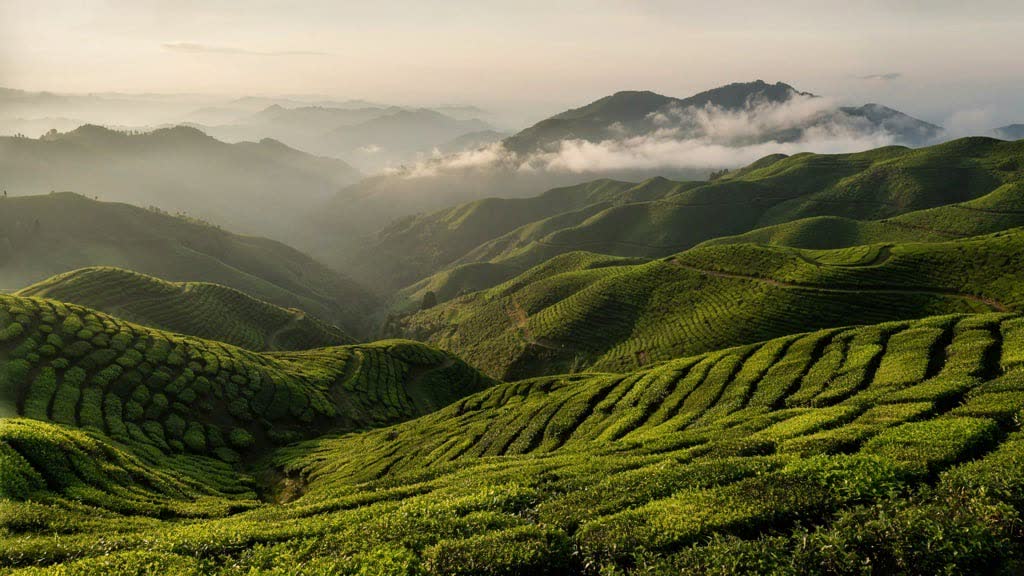
Endless tea terraces stretch across mist-covered mountains at dawn. Soft sunlight illuminates emerald-green rows while low clouds drift gracefully between the hills. Peaceful cinematic landscape, ultra realistic.
image_size: landscape_16_9output_format: jpegFAQ
Short answers.
How much does Ideogram v4 Turbo Text-to-Image cost?
List price starts at $0.012 per image at the base resolution; higher resolutions and longer durations cost more. Per-use pricing, no subscription. Model prices are reference prices. The prompt workspace is free during the period shown on the homepage; no automatic charges.
What content policy applies to Ideogram v4 Turbo Text-to-Image?
Community's standard content policy, plus this site's commercial-use rules: product, catalog and marketing work. Uploads are processed for your request only and are not used for training.
What does Ideogram v4 Turbo Text-to-Image take as input?
It is a text-to-image model. Generate high-quality images, posters, and logos with Ideogram latest V4.0 — producing crisp visuals with accurate text rendering, fine detail, and full creative control for polished, ready-to-use designs.
How do I use Ideogram v4 Turbo Text-to-Image?
Prompt for composition first — subject, lens, light — then style. This is also the fastest way to make a first frame you can hand to an image-to-video model. Register or sign in to edit product photos with Qwen Image Edit. Other models on this page are catalog references.
Related