
Grok Imagine Image 2.0 Developer Edit
xAI Grok Imagine Image 2.0 edits up to three reference images with natural-language instructions at 1K or 2K resolution, with selectable low/medium quality tiers.
What it does
Grok Imagine Image 2.0 Developer Edit, in practice.
Grok Imagine Image 2.0 is xAI's image generation and editing model, released on August 7, 2026 and positioned around a single goal: producing images that hold up in real creative work rather than as one-off novelties. This README applies to the following API model identifiers: Developed by xAI as the successor to Grok Imagine Image Quality, Image 2.0 shipped first as the new Quality Mode on grok.com/imagine and the Grok iOS and Android apps, with general API availability following shortly after. Per the official announcement, the model was built to follow instructions closely down to fine detail, to plan typography and layout the way a designer would so that dense multi-part visuals hold tog
- Designer-Style Typography and Layout Planning: xAI's central claim for 2.0 is that it plans typography and layout rather than treating text as texture. Dense, multi-part compositions — infographics, posters, itineraries, annotated diagrams, title screens — are intended to remain internally coherent with small type staying legible, historically the weakest area of generative image models.
- Selectable Quality Tiers: A `quality` parameter selects between `low` and `medium` rendering. The distinction is substantial in practice rather than cosmetic: `low` returns in roughly a tenth of the time and at a lower per-image price, while `medium` — the default — produces the model's best output. Choosing the tier per request lets draft iteration and final rendering run against the same endpoint.
- Editing as a First-Class Capability: Image 2.0 was trained with editing treated as a primary objective rather than a downstream adaptation. This shows in its benchmark position, where it places higher on the Image Edit Arena than on the Text-to-Image Arena.
- Multi-Image Reference Editing: The edit variant accepts up to three source images in a single request, combining them without manual compositing. References are cited positionally in the prompt as ``, ``, ``, and the output aspect ratio follows the first input unless overridden.
- Input Preservation Across Iterations: The model is designed to hold onto what the user supplies across repeated generations and edits, supporting the iterative refine-and-re-edit loop that real production work depends on rather than drifting away from the source on each pass.
- Style-Consistent World Building: Characters, locations, and props generated from separate prompts hold a single coherent visual style across images. xAI frames this as a stepping stone toward full video production workflows, where a consistent cast and set must survive across many shots.
Run Grok Imagine Image 2.0 Developer Edit
from $0.021/imageParameters
What you can set.
| Parameter | What it does | Options |
|---|---|---|
prompt | Editing instruction describing the change to apply. When supplying multiple source images, cite them as <IMAGE_0>, <IMAGE_1>, <IMAGE_2>. Up to 8000 characters. | default Render this as a pencil sketch with detailed shading. |
image_urls | Source images. Up to 3 are supported. Each entry is either a public URL or a base64-encoded data URI (e.g. `data:image/png;base64,...`). Each input image is billed at $0.01. The output aspect ratio follows the first input image unless `aspe | |
num_images | Number of edited images to generate. Each output image is billed separately. | 1 2 3 4 |
aspect_ratio | Aspect ratio of the edited image. The output generally respects the source image's aspect ratio regardless of this value. `auto` lets the model pick. | auto 1:1 3:4 4:3 9:16 16:9 2:3 3:2 9:19.5 19.5:9 9:20 20:9 |
resolution | Output resolution. 1k = 1024x1024, 2k = 2048x2048. Combined with `quality` this sets the per-image price: low/1k $0.04, low/2k $0.06, medium/1k $0.06, medium/2k $0.08. | 1k 2k |
quality | Rendering quality tier. `low` is cheaper and roughly 8x faster (~10s vs ~84s at 1K); `medium` is the default and produces the model's best output. Per-image price: low/1k $0.04, low/2k $0.06, medium/1k $0.06, medium/2k $0.08. | low medium |
Sample prompt
The prompt behind the sample.
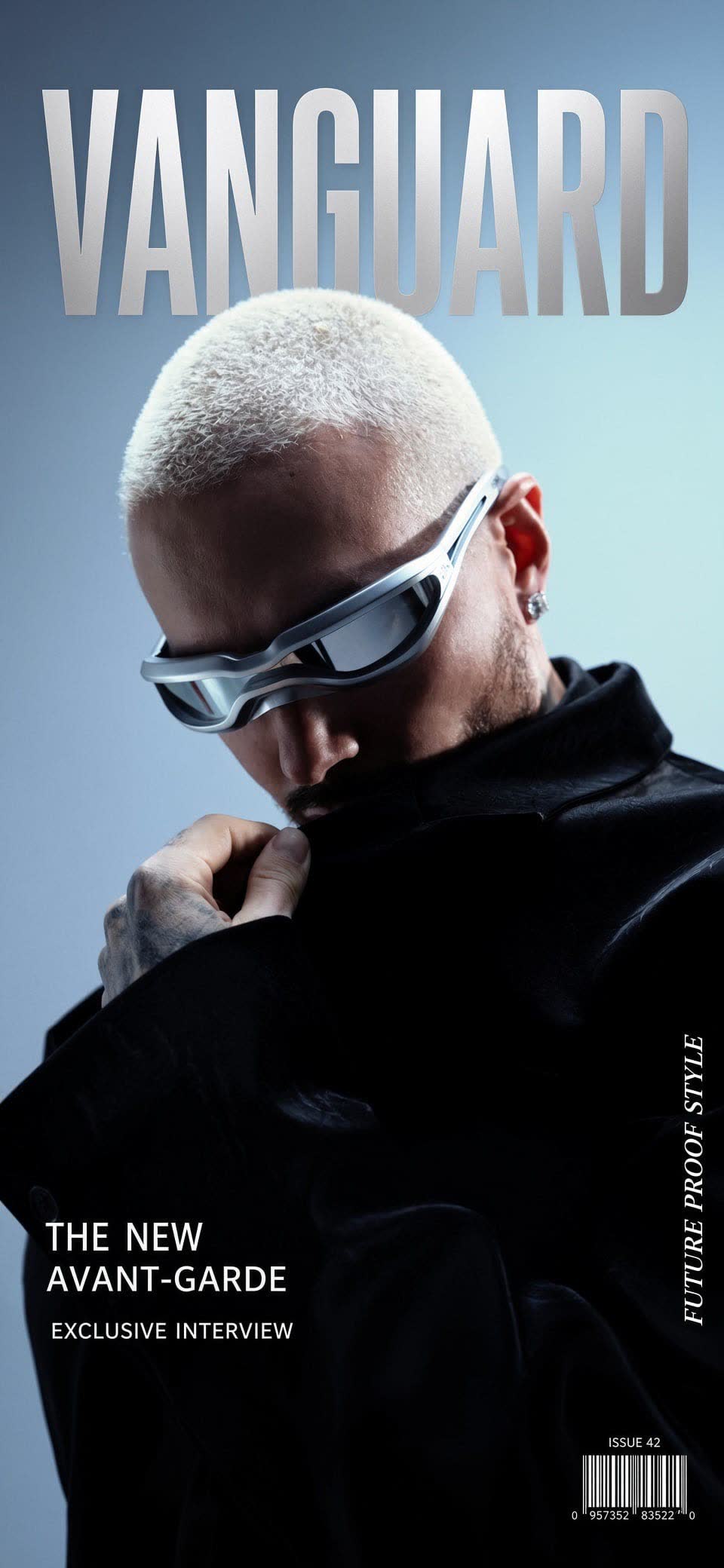
Generate a fashion magazine cover based on the image.
num_images: 1aspect_ratio: 9:19.5resolution: 1kenable_base64_output: FAQ
Short answers.
How much does Grok Imagine Image 2.0 Developer Edit cost?
Pricing starts at $0.021 per image at the base resolution; higher resolutions and longer durations cost more. Usage is billed per request from your balance — no subscription.
Does Grok Imagine Image 2.0 Developer Edit run uncensored here?
No. xAI applies its own content policy to this model regardless of where it is called from. For a route without an extra platform filter use Uncensored MiniMax H3; this page lists Grok Imagine Image 2.0 Developer Edit for everything else it does well.
What does Grok Imagine Image 2.0 Developer Edit take as input?
It is a image editing model. xAI Grok Imagine Image 2.0 edits up to three reference images with natural-language instructions at 1K or 2K resolution, with selectable low/medium quality tiers.
How do I use it?
Enter an invite code to open Chat with the model loaded, or join the waitlist. We open seats in batches and track which models are requested most.
Related