
Openai GPT Image-1.5 Edit
GPT Image 1.5 Edit is OpenAI’s image model for precise, natural-language edits. Add/remove objects, swap backgrounds, retouch faces, adjust colors/lighting, edit text/graphics, crop/resize, and apply hex color control.
What it does
Openai GPT Image-1.5 Edit, in practice.
GPT Image 1.5 Edit is a cost-efficient image editing model powered by OpenAI’s GPT image technology. It enables users to refine, modify, or transform existing images using natural language instructions, while maintaining the original style, composition, and visual integrity.
Run Openai GPT Image-1.5 Edit
from $0.0075/imageParameters
What you can set.
| Parameter | What it does | Options |
|---|---|---|
images | The images to edit. | |
input_fidelity | input fidelity, which allows you to better preserve details from the input images in the output. This is especially useful when using images that contain elements like faces or logos that require accurate preservation in the generated image | low high |
output_format | The format of the output image. | jpeg png |
prompt | The positive prompt for the generation. | |
quality | The quality of the generated image. | low medium high |
size | The size of the generated media in pixels (width*height). | 1024x1024 1024x1536 1536x1024 |
Sample prompt
The prompt behind the sample.
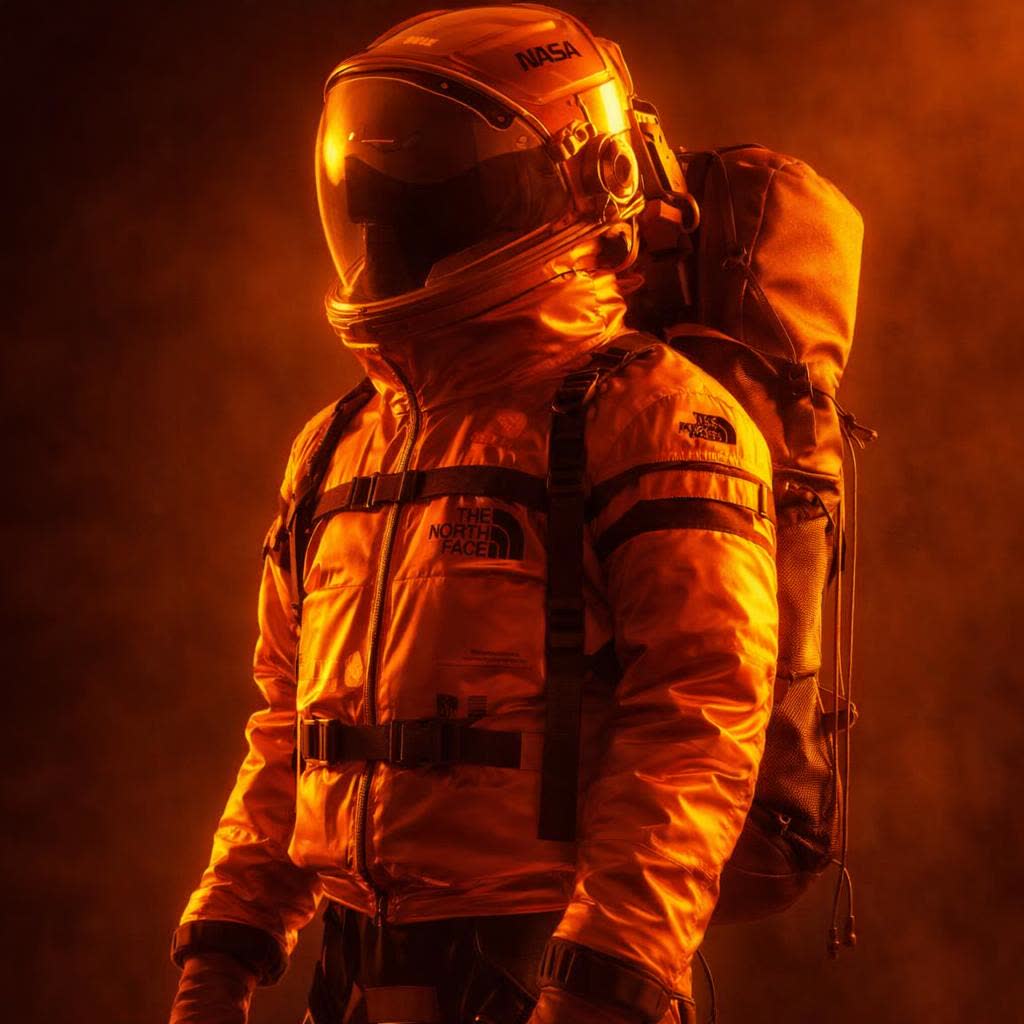
Adjust the image to feature a dominant orange color palette, transforming the overall tone into warm, cinematic hues. Enhance golden-orange highlights and amber lighting while subtly shifting shadows toward deep burnt orange and soft brown tones. Maintain the original composition and details, but unify the scene with consistent warm color grading. Light sources should emit a glowing orange ambiance, creating a dramatic, immersive atmosphere. Preserve contrast and depth while ensuring smooth color transitions and natural lighting behavior. Ultra-detailed, cinematic color grading, cohesive, visu
enable_base64_output: enable_sync_mode: input_fidelity: highoutput_format: jpegquality: mediumsize: 1024x1024FAQ
Short answers.
How much does Openai GPT Image-1.5 Edit cost?
Pricing starts at $0.0075 per image at the base resolution; higher resolutions and longer durations cost more. Usage is billed per request from your balance — no subscription.
Does Openai GPT Image-1.5 Edit run uncensored here?
No. OpenAI applies its own content policy to this model regardless of where it is called from. For a route without an extra platform filter use Uncensored MiniMax H3; this page lists Openai GPT Image-1.5 Edit for everything else it does well.
What does Openai GPT Image-1.5 Edit take as input?
It is a image editing model. GPT Image 1.5 Edit is OpenAI’s image model for precise, natural-language edits. Add/remove objects, swap backgrounds, retouch faces, adjust colors/lighting, edit text/graphics, crop/resize, and apply hex color control.
How do I use it?
Enter an invite code to open Chat with the model loaded, or join the waitlist. We open seats in batches and track which models are requested most.
Related