
Openai GPT Image-1.5 Text-to-image
GPT Image 1.5 text to image is OpenAI’s fast, cost-efficient text-to-image generator powered by GPT-5 guidance. Create photorealistic shots, product renders, concept art, and stylized graphics from natural-language prompts (optionally conditioned with an image). Supports custom aspect ratios, seeds, negative prompts, hex color hints, and style presets.
What it does
Openai GPT Image-1.5 Text-to-image, in practice.
GPT Image 1.5 Text to Image is a cost-efficient multimodal text-to-image generation model powered by OpenAI’s GPT image technology. It combines strong prompt understanding with optimized image synthesis to generate high-quality visuals from natural language, making it ideal for UI design, concept art, product mockups, and creative visualization.
Product photo workspace
This page is a model reference. The workspace supports white backgrounds, scene changes, packaging text edits and model try-on using Qwen Image Edit.
Parameters
What you can set.
| Parameter | What it does | Options |
|---|---|---|
output_format | The format of the output image. | jpeg png |
prompt | The positive prompt for the generation. | |
quality | The quality of the generated image. | low medium high |
size | The size of the generated media in pixels (width*height). | 1024x1024 1024x1536 1536x1024 |
Sample prompt
The prompt behind the sample.
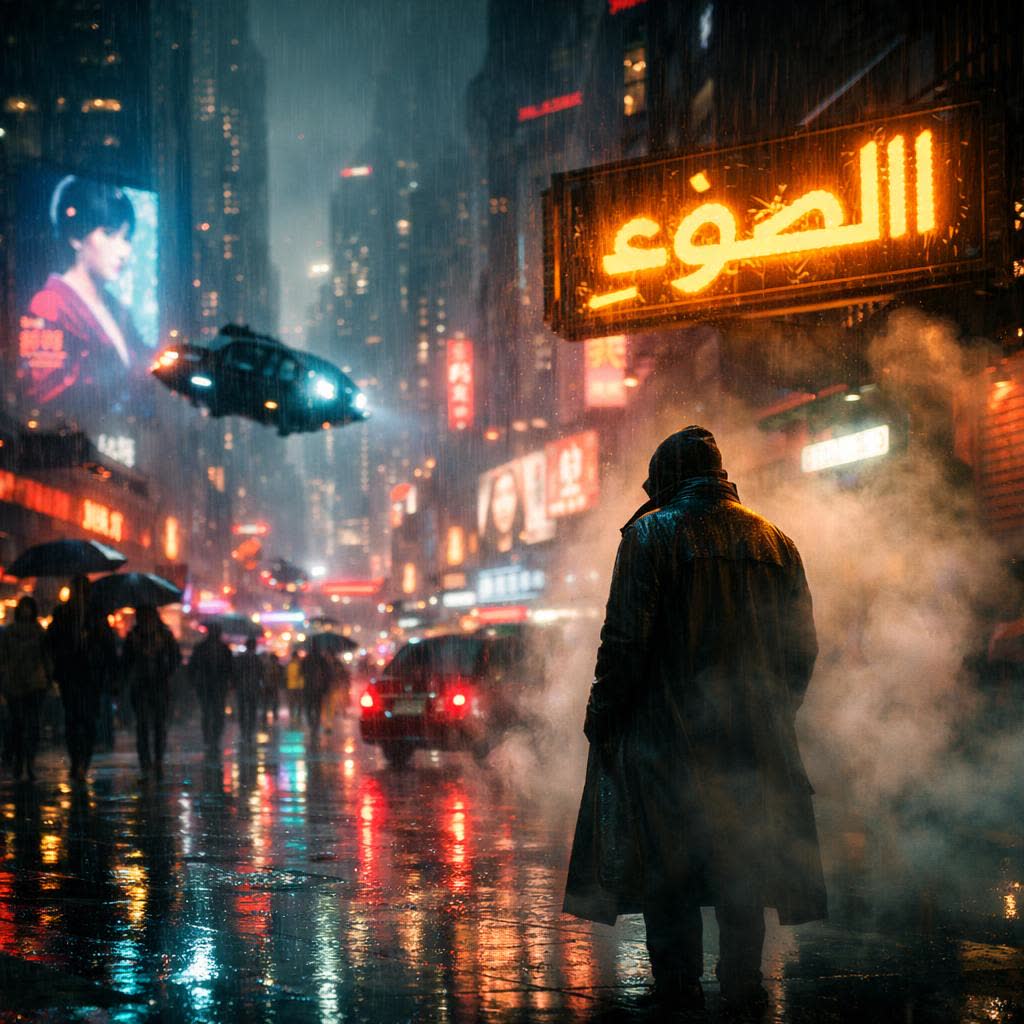
A futuristic cyberpunk мегаполис at night, drenched in neon الضوء and constant rain, inspired by the visual style of Blade Runner. Towering skyscrapers fade into thick атмосферный haze, covered with massive holographic advertisements and flickering LED billboards. The streets below are crowded, reflective with rainwater, glowing with saturated neon colors—cyan, magenta, and amber. A lone figure in a long coat stands under a flickering الضوء sign, partially obscured by drifting steam and المطر. Flying vehicles hover between buildings, casting moving light across the wet surfaces. The atmosphere
enable_base64_output: enable_sync_mode: output_format: jpegquality: mediumsize: 1024x1024FAQ
Short answers.
How much does Openai GPT Image-1.5 Text-to-image cost?
List price starts at $0.0045 per image at the base resolution; higher resolutions and longer durations cost more. Per-use pricing, no subscription. Model prices are reference prices. The prompt workspace is free during the period shown on the homepage; no automatic charges.
What content policy applies to Openai GPT Image-1.5 Text-to-image?
OpenAI's standard content policy, plus this site's commercial-use rules: product, catalog and marketing work. Uploads are processed for your request only and are not used for training.
What does Openai GPT Image-1.5 Text-to-image take as input?
It is a text-to-image model. GPT Image 1.5 text to image is OpenAI’s fast, cost-efficient text-to-image generator powered by GPT-5 guidance. Create photorealistic shots, product renders, concept art, and stylized graphics from natural-language prompts (optionally conditioned with an image
How do I use Openai GPT Image-1.5 Text-to-image?
Prompt for composition first — subject, lens, light — then style. This is also the fastest way to make a first frame you can hand to an image-to-video model. Register or sign in to edit product photos with Qwen Image Edit. Other models on this page are catalog references.
Related