
GPT Image 2.5 Flare Text-to-Image
GPT Image 2.5 Flare generates images from natural-language prompts with arbitrary resolutions up to 3840x2160, five quality tiers including xhigh and max, and first-class transparent backgrounds.
What it does
GPT Image 2.5 Flare Text-to-Image, in practice.
GPT Image 2.5 Flare is OpenAI's upgraded GPT Image generation model, reached through the OpenAI Images API. Generation is asynchronous: submit the request, then poll for the final image URL.
- Five quality tiers: `low`, `medium`, `high`, plus `xhigh` and `max`, which are new in gpt-image-2.5.
- Arbitrary resolutions: any `WIDTHxHEIGHT` up to 3840x2160, at any aspect ratio between 1:3 and 3:1.
- Transparent backgrounds: fully supported, not preview, on gpt-image-2.5.
- Long prompts: up to 32000 characters.
Product photo workspace
This page is a model reference. The workspace supports white backgrounds, scene changes, packaging text edits and model try-on using Qwen Image Edit.
Parameters
What you can set.
| Parameter | What it does | Options |
|---|---|---|
prompt | Text description of the desired image. Up to 32000 characters. | |
quality | Rendering quality tier. gpt-image-2.5 adds xhigh and max on top of low/medium/high. Higher tiers cost more per image. | auto low medium high xhigh max |
size | optional string or auto or 1024x1024 or 1536x1024 or 5 moreThe size ofthe generated images.For gpt-image-2.5 is supported as WIDTHxHEIGHT strings,for example 1536x864 . Width and height mustboth be divisible by 16 and the requested aspect r | auto 1024x768 768x1024 1024x1536 1536x1024 2048x2048 2048x1152 1152x2048 2560x1088 1088x2560 2880x2160 2160x2880 |
background | Background of the generated image. When using transparent, set the output format to png or webp. | auto opaque transparent |
output_format | Output image format. | png jpeg webp |
moderation | Content-moderation strictness. low applies less restrictive filtering. | auto low |
n | Number of images to generate, 1 to 10. Each image is billed separately. | default 1 |
Sample prompt
The prompt behind the sample.
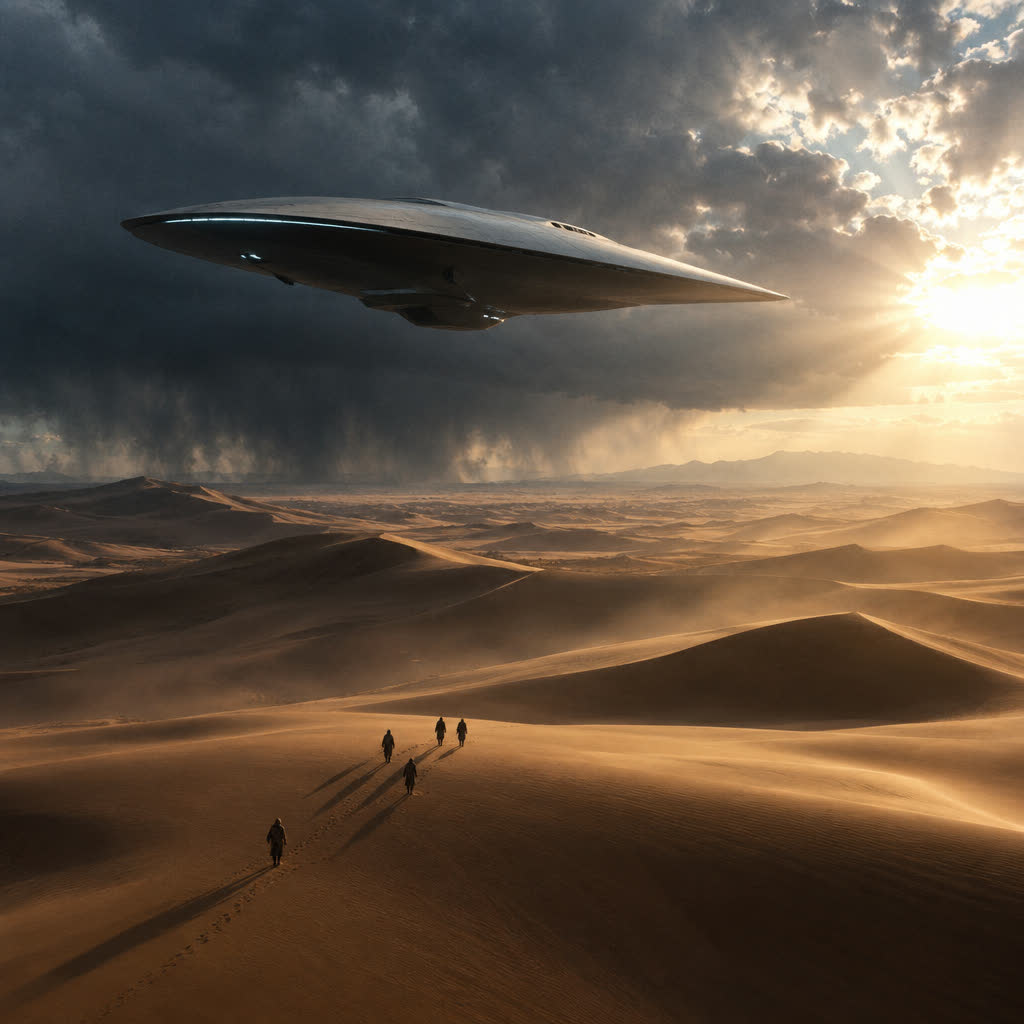
A sleek futuristic aircraft hovering silently above an endless desert, enormous dunes flowing like waves beneath it, several tiny figures walking across the sand below, distant storm clouds approaching across the horizon, sunlight breaking through the clouds, long shadows stretching across the dunes, minimal futuristic design, mysterious and elegant, cinematic science fiction, immense scale, atmospheric perspective, subtle film grain, realistic materials, dramatic composition, photorealistic, 8K
quality: mediumsize: 1024x1024background: autooutput_format: pngmoderation: auton: 1FAQ
Short answers.
How much does GPT Image 2.5 Flare Text-to-Image cost?
List price starts at $0.0045 per image at the base resolution; higher resolutions and longer durations cost more. Per-use pricing, no subscription. Model prices are reference prices. The prompt workspace is free during the period shown on the homepage; no automatic charges.
What content policy applies to GPT Image 2.5 Flare Text-to-Image?
OpenAI's standard content policy, plus this site's commercial-use rules: product, catalog and marketing work. Uploads are processed for your request only and are not used for training.
What does GPT Image 2.5 Flare Text-to-Image take as input?
It is a text-to-image model. GPT Image 2.5 Flare generates images from natural-language prompts with arbitrary resolutions up to 3840x2160, five quality tiers including xhigh and max, and first-class transparent backgrounds.
How do I use GPT Image 2.5 Flare Text-to-Image?
Prompt for composition first — subject, lens, light — then style. This is also the fastest way to make a first frame you can hand to an image-to-video model. Register or sign in to edit product photos with Qwen Image Edit. Other models on this page are catalog references.
Related