minimaxiStudio Create account
Product ImageCommercial-safe · Pixel-locked outputFree trial

Exact Framing & Pose Lock

Match the exact catalog pose across every SKU.

Standardized category pages convert better when every jacket, dress, or handbag is framed at the exact same angle. Upload a pose or framing template and apply it consistently across your entire seasonal catalog.

All tools

Price Upstream API benchmark starts at $0.032 per image on the most cost-effective model below (no paid checkout on minimaxi.design).

AI Engine Stack
Qwen-Image Edit Plus, Nano Banana 2 Reference to Image
Upstream API Benchmark
Upstream API benchmark starts at $0.032 per image on the most cost-effective model below (no paid checkout on minimaxi.design).
Primary Output
Catalog image locked to the exact reference pose and angle
SKU & Privacy Lock
100% locked geometry · Zero training on uploads

Studio

Compose a structured product-photo edit brief (white background, scene relighting, packaging text or model try-on) and save it in your workspace.

Need a ready-made prompt template? Click to pick White BG, Relighting, Label Edit, or Model Try-On

Quick Template Switcher

Pick What You Want to Do — Get the Exact Instruction

Click a task below (white background, scene relighting, label text edit, or flat-lay to model) to load a tested instruction.

1. Choose Task
2. Angle
3. Background & Light
Ready-to-Use Instruction
Front hero product angle, crisp edges. Frosted glass skincare serum bottle with gold dropper cap, keep brand logo and label text unchanged, pure #FFFFFF white background with soft contact shadow. 4K commercial e-commerce product photography, zero SKU geometry drift, keep original label text sharp — Flux Kontext & Qwen Image Edit.

How it works

Three steps.

Upload the angle template

A mannequin shot or standard lookbook pose.

Attach your SKU or model

Drop the garment or synthetic model reference.

Render uniform catalog cards

Keep camera height and body posture identical across all variants.
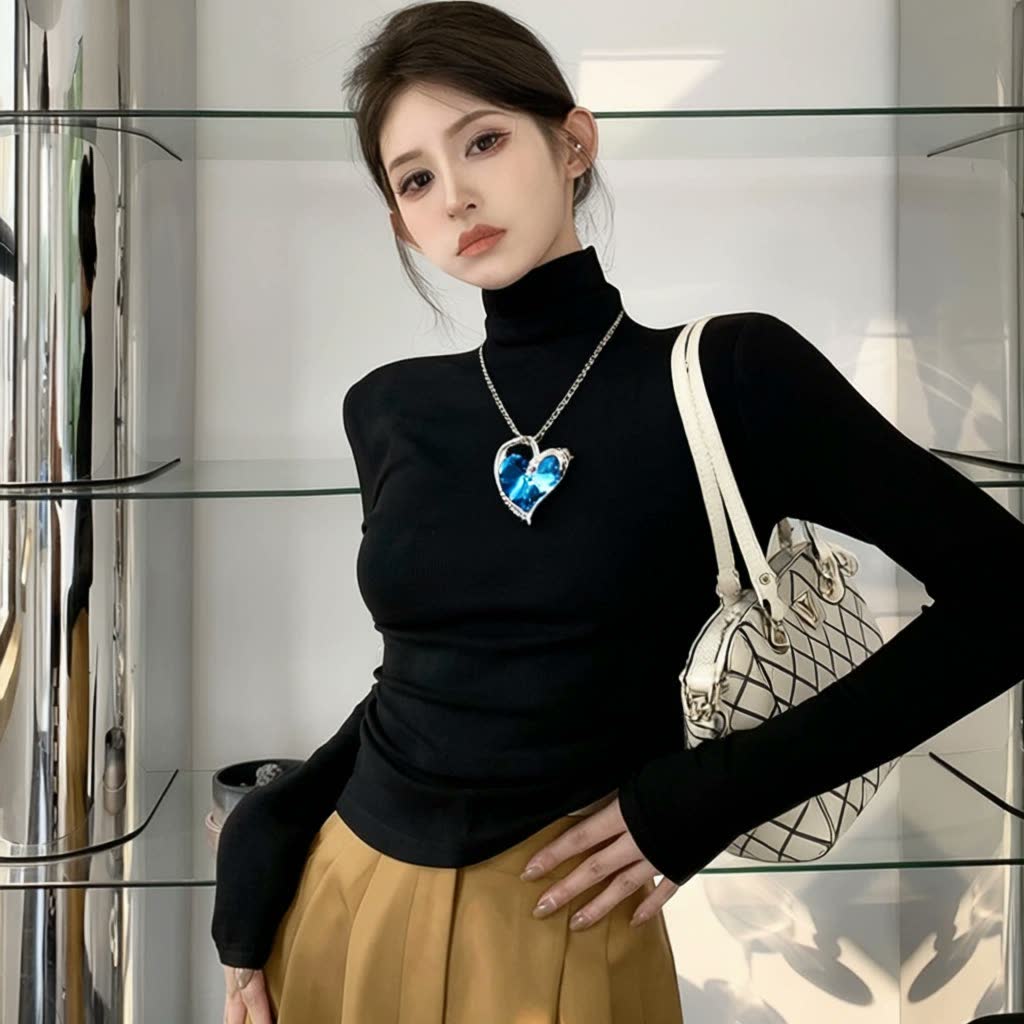
Qwen-Image Edit Plus sample output
Real model output from Qwen-Image Edit Plus — transparent per-unit pricing. · prompt: “The girl in Figure 1 is wearing the necklace shown in Figure 2 and has the bag shown in Figure 3 slung over her left shoulder.”

You upload

Inputs.

  • Pose or angle reference image (mannequin, sketch, or catalog shot)
  • Product / garment reference
  • Studio lighting description

You export

Outputs.

  • Catalog image locked to the exact reference pose and angle

Under the hood

Models powering this tool.

Every model lists its transparent per-image or per-second price. Combine Qwen Image Edit for text/inpainting with Flux Kontext & Fill for studio relighting.

FAQ

Short answers.

Does the person from the pose reference appear in the final output?

No — only the geometric posture and camera framing are extracted; the output uses your synthetic brand model and garment.

Can I use a ghost mannequin photo as the reference?

Yes, mannequin and flat-lay references work cleanly to establish torso angle and sleeve drape.

Can the output be animated into a short lookbook clip?

Yes — send the finished still directly to Hero Photo to Product Video (/tools/product-video/).

How do I start, and what does it cost?

Register with your email and password to start. The free period is shown on the homepage and in your workspace. No card is required and there are no automatic charges.

Looking for MiniMax H3 Uncensored Prompts, Pose Control, or AI Short Drama? Open the dedicated MiniMax H3 Uncensored Prompt Guide (camera moves, LoRA/ComfyUI/GGUF workflows) or watch full AI short drama episodes on Huangguo Drama & ReelShorts.
Open H3 Uncensored Prompt Guide → Watch AI Short Drama (Huangguo) → ReelShorts Global →

Related tools

Sellers also use.

Pose & Mannequin Angle Control, in Studio Chat.

Register or sign in to compose structured edit briefs and save your projects (free workspace; no card or paid checkout).

Create account Browse models